
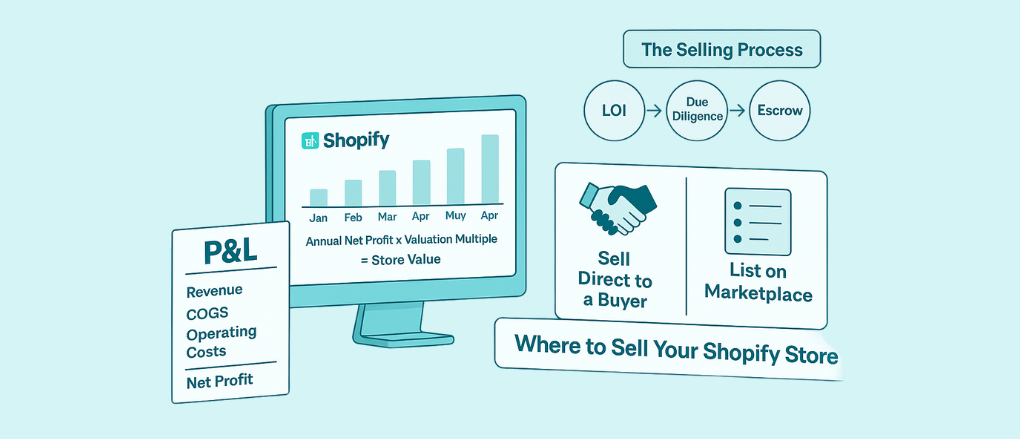
In the fast-paced world of e‑commerce, revenue numbers aren’t enough — profitability is what drives sustainable growth. For Shopify merchants, tracking daily profit and loss (P&L) can be surprisingly complex due to hidden costs, refunds, advertising spend, and delayed payouts. This blog explores how professional data models can solve these challenges and help you reconcile your books with confidence.
Why Standard Shopify Reports Fall Short
Shopify’s built‑in reports provide revenue and order data, but they often miss key elements needed for accurate P&L:
- Gross revenue only: No cost of goods sold (COGS) or shipping costs included.
- Delayed payouts: Shopify payouts may arrive days after orders are placed.
- Advertising and marketplace fees: Costs from Google Ads, Facebook, Amazon, etc., are tracked separately.
- Returns and refunds: May not immediately reflect in daily accounting.
As a result, merchants often see discrepancies between what Shopify reports and what the accounting books show.
Building a Professional Data Model: Core Principles
A professional data model for daily P&L should be:
📌 1. Comprehensive
All revenue and cost sources must be included:
- Sales revenue by order
- COGS per SKU
- Shipping and fulfillment fees
- Payment processing fees
- Advertising and acquisition costs
- Returns and refunds
📌 2. Time‑Aligned
Revenue and costs must be recognized in consistent time buckets (e.g., by the order date, not payout date).
📌 3. Automated and Scalable
Manual reconciliation is error‑prone. A model should automate data ingestion and calculation.
Step‑by‑Step Workflow
Here’s a practical workflow to build and run daily P&L tracking:
🔹 Step 1: Extract Raw Data from All Sources
Use APIs or automated exports to pull data from:
- Shopify: Orders, refunds, taxes, shipping, payment gateway fees
- ERP or Inventory System: Cost of goods sold per SKU
- Ad Platforms: Daily spend and campaign performance
- Shipping Carriers & 3PLs: Actual shipping costs
Tip: Tools like Airbyte, Fivetran, or custom Python scripts can automate data extraction.
🔹 Step 2: Centralize in a Data Warehouse
Load all raw data into a central repository such as:
- Snowflake
- BigQuery
- Redshift
- PostgreSQL
This allows cross‑source joins and consistent calculations.
🔹 Step 3: Build the P&L Logic in SQL or BI Tools
Create transformation pipelines that compute:
Revenue
Net Revenue = Gross Sales – Returns – Discounts – Taxes
Cost of Goods Sold (COGS)
COGS = ∑ (Units Sold × Unit Cost)
Gross Profit
Gross Profit = Net Revenue – COGS
Operating Costs
Include:
- Advertising spend
- Marketplace fees
- Shipping and fulfillment
- Payment processing fees
Net Profit
Net Profit = Gross Profit – Operating CostsExample using SQL in a BI tool:SELECT
order_date,SUM(net_revenue) AS daily_revenue,SUM(cogs) AS daily_cogs,SUM(ad_spend) AS daily_ad_cost,SUM(shipping_cost) AS daily_shipping, (SUM(net_revenue) - SUM(cogs) - SUM(ad_spend) - SUM(shipping_cost)) AS net_profit
FROM unified_sales_view
GROUP BY order_date;
🔹 Step 4: Build Daily Dashboards
Use a BI visualization tool like:
- Tableau
- Power BI
- Looker
- Metabase
Create dashboards showing:
- Daily revenue trend
- COGS vs revenue
- Net profit by day
- Cost category breakdown
This helps you spot trends and anomalies quickly.
🔹 Step 5: Reconcile with Accounting Books
Even with a solid model, small timing differences can occur. Reconciliation involves:
- Comparing model outputs with accounting ledgers
- Adjusting for payout timing differences
- Reviewing and fixing mismatches
Automating this reconciliation reduces monthly closing time.
Benefits of Using Professional Data Models
| Benefit | Explanation |
| Accuracy | Combines all data sources to reflect true profitability |
| Timeliness | Daily P&L allows faster decision‑making |
| Scalability | Works for multiple stores and regions |
| Transparency | Cost categories are clearly broken down |
Common Challenges and How to Overcome Them
❗ Data Quality Issues
Solution: Implement validation checks and error alerts in your ETL pipelines.
❗ Mismatched Time Zones
Solution: Standardize all timestamps to a common timezone before analysis.
❗ Late or Missing Fee Data
Solution: Store raw fee records and schedule delayed data reconciliation runs.
Conclusion
Accurate daily P&L tracking is critical for Shopify merchants aiming for profitability and growth. Shopify’s native reports are a starting point, but they lack the full financial picture. By building a professional data model that unifies revenue, cost, and spend data from multiple sources, businesses can gain reliable insights, automate reconciliation, and make smarter decisions.With the right infrastructure — data warehouse, scheduling, and visualization — you can transform raw e‑commerce data into a daily P&L system that aligns with your accounting books and drives operational confidence.
